Back to Blog
3 min read

The Best Macro Tracking App for Apple Watch Ultra Users

Discover why ProteinLog is the best macro tracking app for Apple Watch Ultra. Learn how to log meals instantly using the Action Button and voice recognition.

best macro tracking app apple watchapple watch ultra action buttonapple watch calorie trackervoice logging nutrition

Quick Answer: ProteinLog pairs the Ultra’s Action Button with voice logging and quick templates so macros land in your diary without unlocking your phone.

The Apple Watch Ultra was designed for athletes, adventurers, and anyone who wants to leave their iPhone behind while staying connected to their fitness data. However, when it comes to nutrition, most tracking apps still force you to pull out your phone to log a meal.

Whether you are finishing a workout at the gym, cooking dinner in the kitchen, or sitting at a restaurant, opening an app, searching a database, and typing in portion sizes is a slow, frustrating process.

If you own an Apple Watch Ultra (or an iPhone 15/16 Pro), you already have the hardware to solve this problem: the Action Button. Here is why ProteinLog is the best macro tracking app for Apple Watch users who want to track their nutrition without touching their phone.

The Power of the Action Button for Nutrition

Apple introduced the Action Button as a customizable shortcut to your most important tasks. For users serious about body recomposition, weight loss, or muscle gain, consistent macro tracking is the most important task of the day.

ProteinLog integrates directly with Apple's Shortcuts system, allowing you to map the Action Button on your Apple Watch Ultra to instantly log your food.

How It Works: Voice Logging on the Wrist

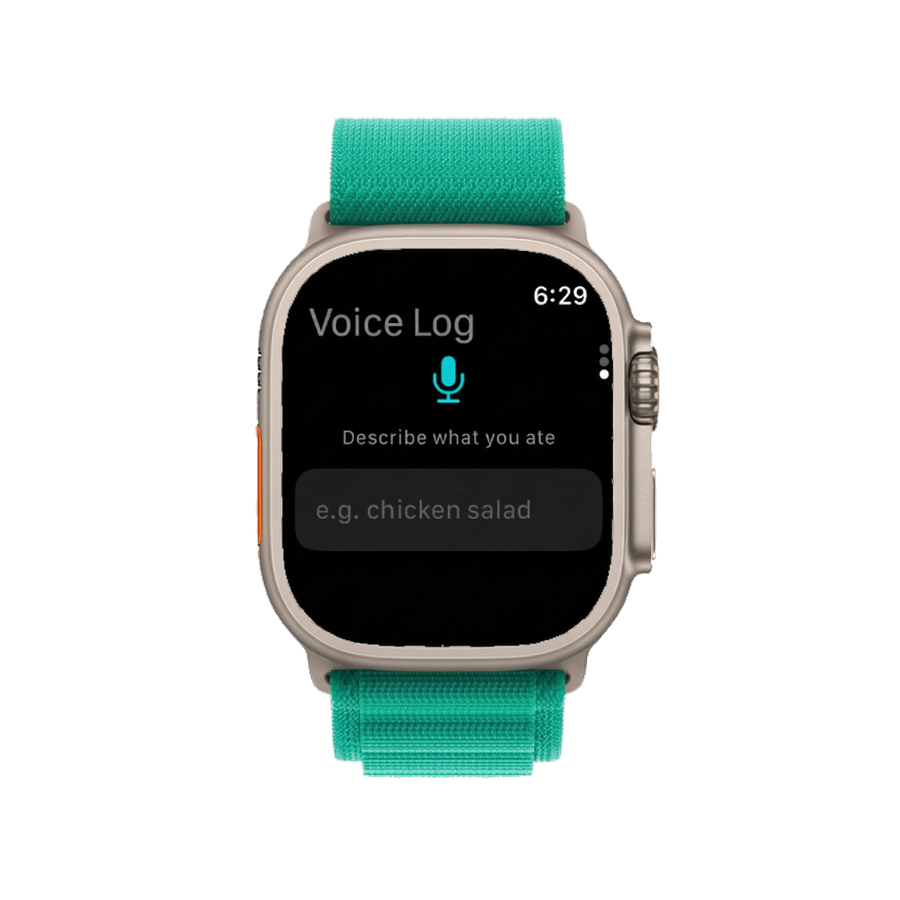
The most powerful feature of ProteinLog for Apple Watch users is Voice Logging.

Instead of typing, you simply press the orange Action Button on your Ultra and speak naturally:

"I just had a bowl of oatmeal with a scoop of whey protein and a banana."

The app’s AI processes your speech, identifies the ingredients, estimates the standard portion sizes (which you can adjust), and calculates the calories, protein, carbs, and fat.

The entire process happens on your wrist in seconds. There is no need to pull out your iPhone, open the app, or search a database. The AI handles the data entry, allowing you to stay focused on your day.

Setting Up ProteinLog on Your Apple Watch Ultra

Configuring your Apple Watch Ultra to log meals instantly takes less than two minutes.

  1. Download ProteinLog: Ensure the app is installed on your iPhone and synced to your Apple Watch.
  2. Add the Shortcut: Open the Shortcuts app on your iPhone, find ProteinLog, and add the "Voice Log" shortcut to your library. Ensure "Show on Apple Watch" is toggled on.
  3. Assign the Action Button: On your Apple Watch Ultra, go to Settings → Action Button. Under Action, select "Shortcut," and choose the ProteinLog Voice Log shortcut you just created.

From now on, a single press of the Action Button will activate the microphone, ready to log your next meal.

Quick Log: For the Meals You Eat Every Day

While Voice Logging is incredible for varied meals, many of us eat the same breakfast or post-workout shake every day.

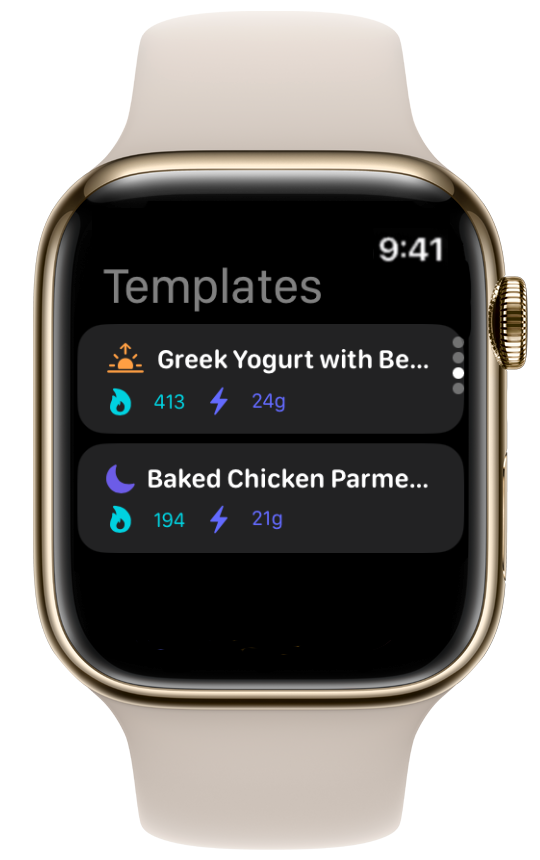
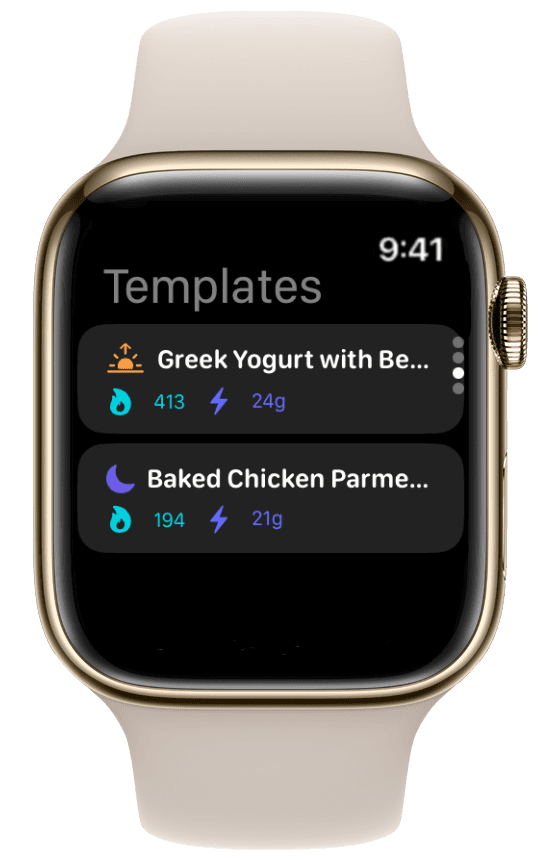
ProteinLog solves this with Quick Log Templates. You can save your go-to meals (e.g., "Morning Oats: 420 cal, 32g P") as templates within the iPhone app.

If you assign the Action Button to the "Quick Log" shortcut instead of Voice Log, pressing the button on your watch will instantly display your saved templates. Tap the one you just ate, and it is logged. One press, one tap, done.

Complications: Your Macros at a Glance

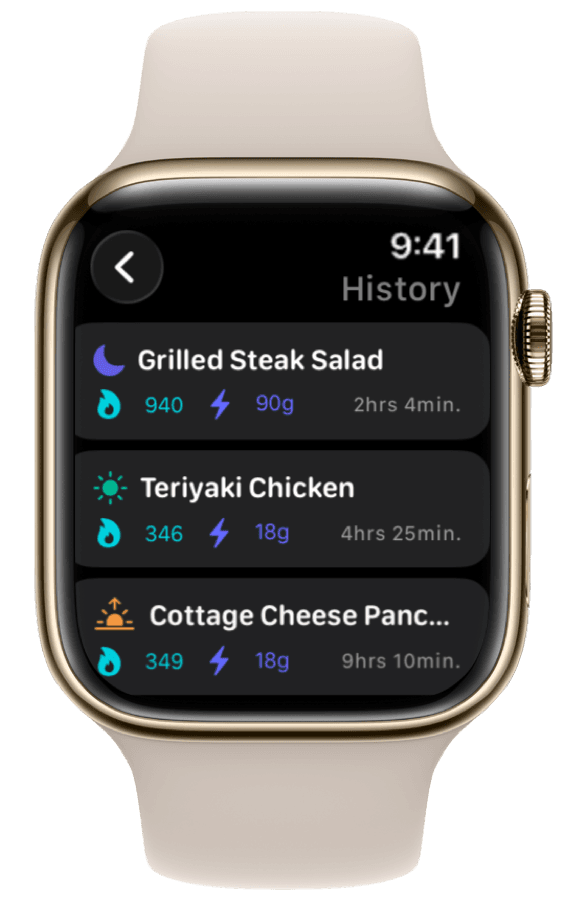
A great Apple Watch app should not only make inputting data easy; it should make viewing your progress effortless.

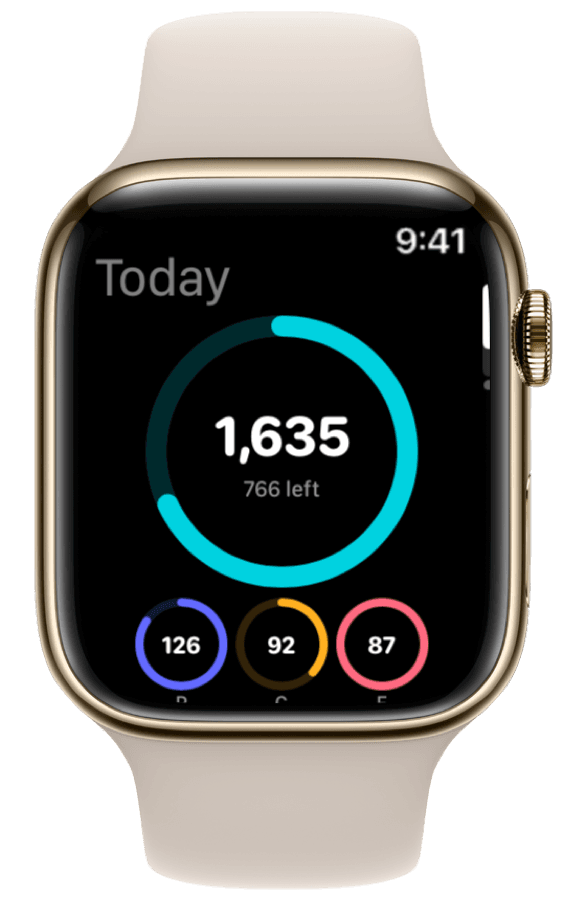
ProteinLog includes customizable complications for your watch face. You can choose to display:

  • Total calories remaining for the day.
  • A visual ring showing your progress toward your protein goal.
  • A detailed breakdown of your current macro split (Protein, Carbs, Fat).

By adding these complications to your Modular or Wayfinder watch face, you always know exactly where you stand with your nutrition, right next to your activity rings.

Why Consistency is the Ultimate Goal

The biggest enemy of nutrition tracking is not a lack of motivation; it is friction. Every extra tap, every search query, and every time you have to pull out your phone is a reason to skip logging "just this once."

When you skip logging once, you often skip it twice, and suddenly the habit is broken.

By turning the Action Button on your Apple Watch Ultra into a dedicated nutrition tracker, ProteinLog removes the friction entirely. When logging a meal is as easy as pressing a button and speaking, consistency becomes effortless.

Ready to unlock the full potential of your Apple Watch Ultra? Download ProteinLog on the App Store and start your free 7-day trial today.

Ready to Track Smarter, Not Harder?

Try ProteinLog free for 7 days. AI photo logging, verified nutrition data, Apple Watch logging, and our free macro calculator use the same targets as goal setup.

Download on the App Store