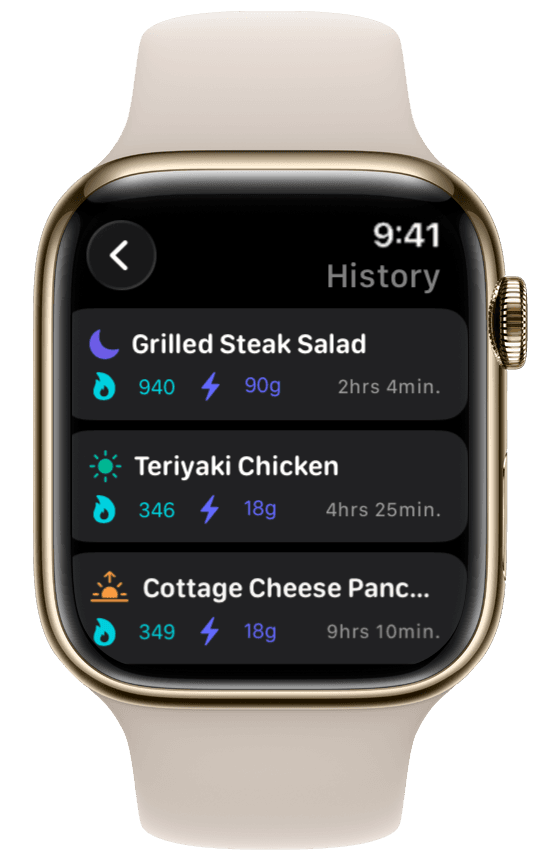
Meal history on your wrist
Scroll through everything you've logged today — each meal with calories, protein, carbs, and fat. Check your running totals and spot gaps before the day is over, all from your watch.
Apple Watch calorie & macro tracker
Most nutrition apps make you open your iPhone to log food. ProteinLog is an Apple Watch macro tracker that lets you voice log meals, tap saved templates, and review today's macros on your watch — without your phone in hand.
If you searched for an Apple Watch calorie tracker or macro tracker, you probably found apps that only showyour totals on the wrist. ProteinLog is different: you can log new meals by voice, tap a saved template, or review today's meals and macros on your watch — then sync everything to Apple Health.
Meal history
Open ProteinLog on your watch and scroll through everything you've logged today. Each entry shows calories and macros so you can see how your day is shaping up — and whether you still need that post-workout protein shake.
Every feature below runs on Apple Watch. Set up once on iPhone, then log from your wrist all day.
Scroll through everything you've logged today — each meal with calories, protein, carbs, and fat. Check your running totals and spot gaps before the day is over, all from your watch.
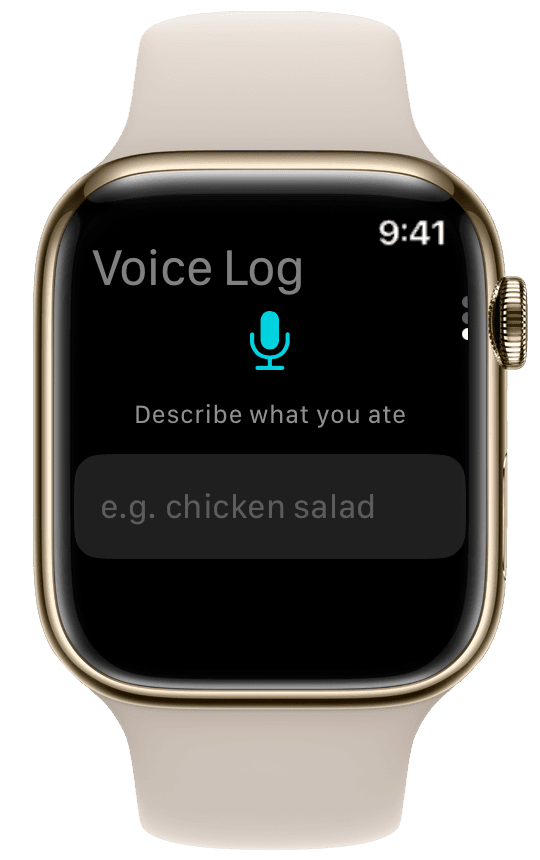
Say what you ate — "two eggs, toast, and black coffee" — and ProteinLog parses foods and portions. No typing on a tiny keyboard, and it works without your iPhone nearby.
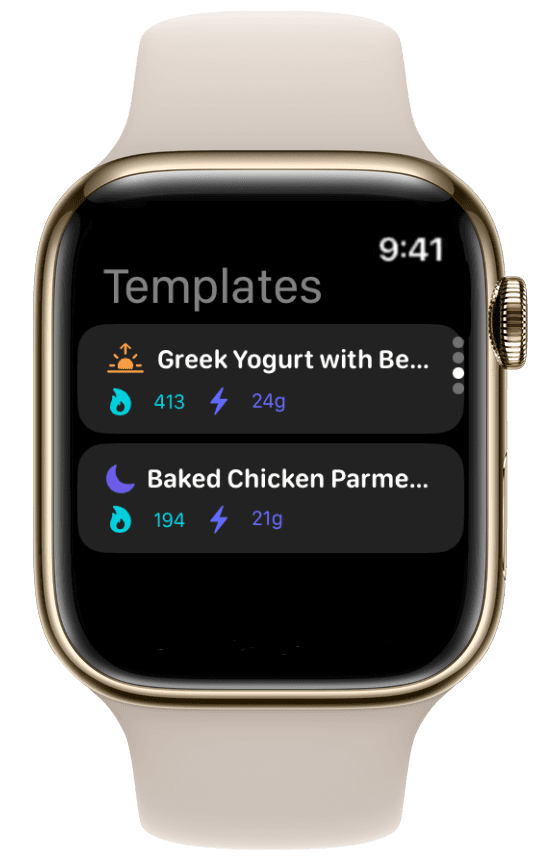
Save repeat meals — post-workout shake, usual lunch — and log them in one tap from your watch. Perfect between meetings or after the gym.
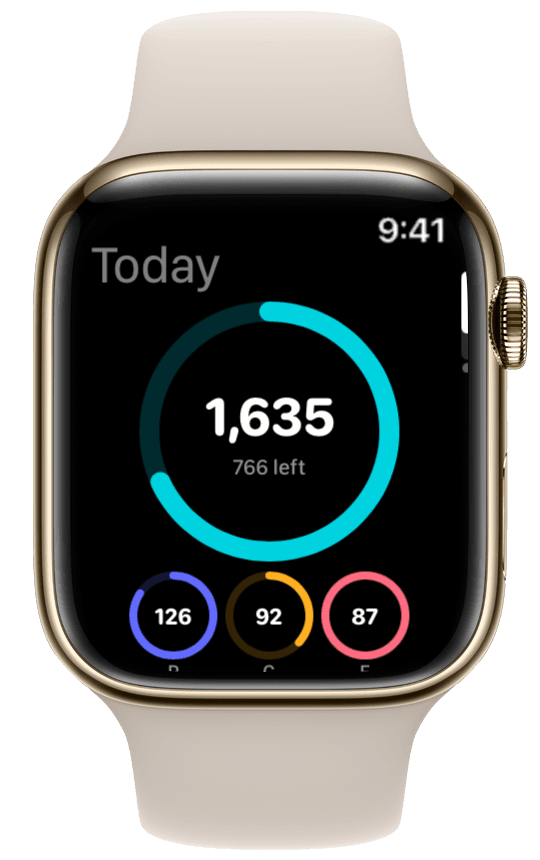
Open ProteinLog on your watch for calories, protein, carbs, and fat at a glance. Tap through to log or review today's meals and history.
Standalone logging
After initial setup on iPhone, ProteinLog runs on your watch independently. Voice log at the gym, tap a Quick Log template between meetings, or review today's meals from your wrist — even when your phone is in a locker or at home.
That matters for consistency. The easier logging is, the more likely you are to hit your protein goal — and an Apple Watch macro tracker should remove friction, not add it.
How standalone logging works →Map the Action Button on Apple Watch Ultra to ProteinLog's Quick Log shortcut. One press opens your saved templates — post-workout shake, usual lunch, overnight oats — and one tap logs the whole meal.
No digging through menus on a tiny screen. Ultra owners bought a watch built for action — this is the fastest way to log a meal you eat every day.
ProteinLog supports Apple Watch Series 6 and later. Install the watch app from the Watch app on your paired iPhone after downloading ProteinLog.
Requires a paired iPhone with ProteinLog installed. Apple Watch Ultra models support Action Button shortcuts. Cellular is not required for on-watch logging after setup.
Other apps show your calorie total on the watch. ProteinLog lets you actually log.
| Feature | MyFitnessPal | Cronometer | ProteinLog |
|---|---|---|---|
| Log new meals from watch | |||
| Voice logging on wrist | |||
| Watch face widgets | Basic | Detailed | |
| Quick Log templates on watch | |||
| Action Button (Ultra) | |||
| Works without iPhone nearby | |||
| Apple Health sync |
Want the full breakdown? Read our Apple Watch calorie tracker guide
Common questions about using ProteinLog as your Apple Watch calorie and macro tracker.
For logging — not just viewing — on the wrist, look for voice logging, watch face widgets, Quick Log templates, and Apple Health sync. ProteinLog supports all of these. Most competitors only show calories synced from your phone.
Step-by-step posts for voice logging, watch face widgets, Action Button shortcuts, and logging without your phone.
Try the Apple Watch macro tracker free for 7 days
iPhone + Apple Watch. No credit card required.
Download on the App Store