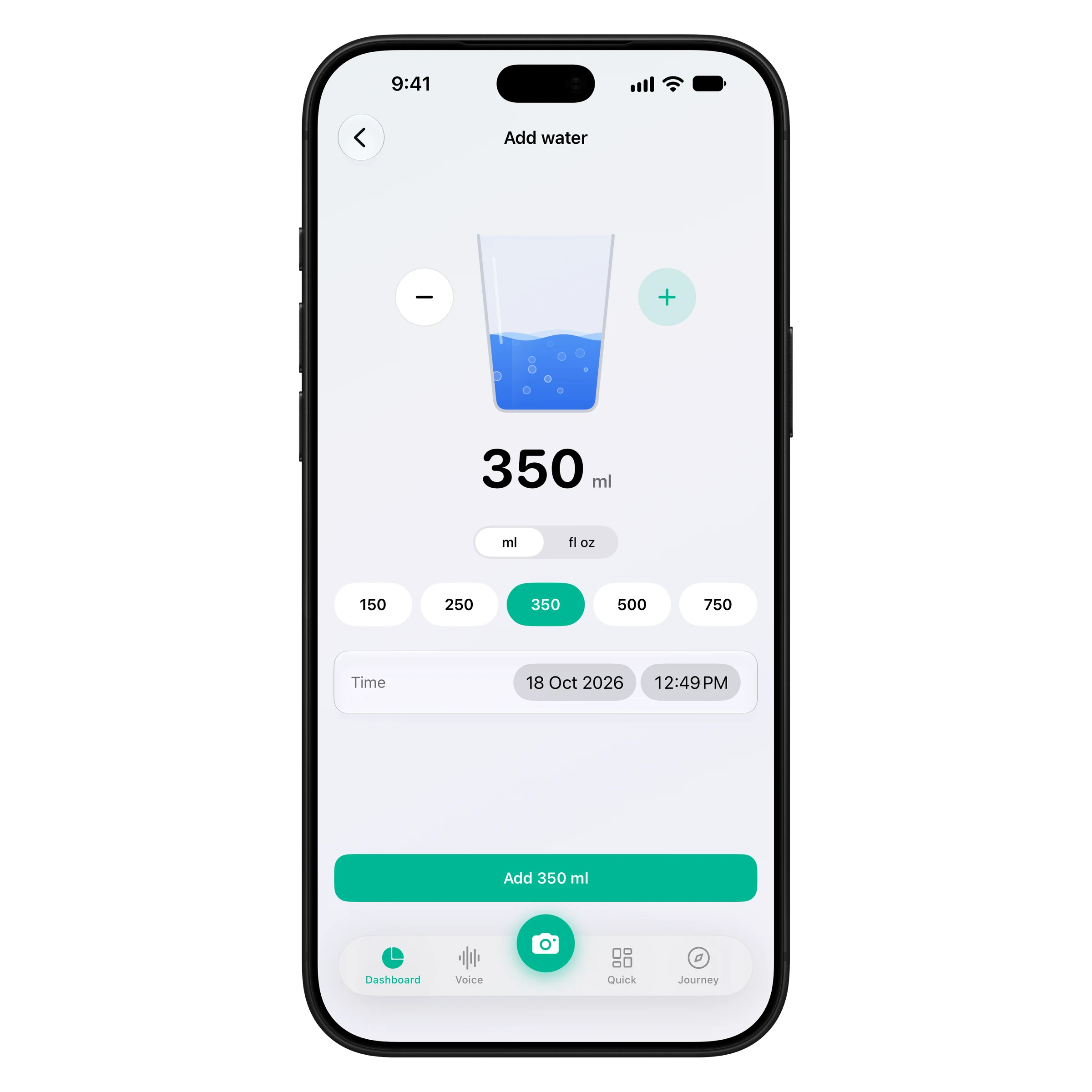
One tap, straight into the glass
Pick an amount and watch it pour in. Quick sizes for a glass, a mug or a bottle, plus custom amounts and the time you drank it.
New: water tracking
Track water next to calories and protein instead of in a second app. Log a drink in one tap, and the coffee, juice or smoothie you log with a meal counts toward your water automatically.
iPhone & Apple Watch · No ads · Cancel anytime
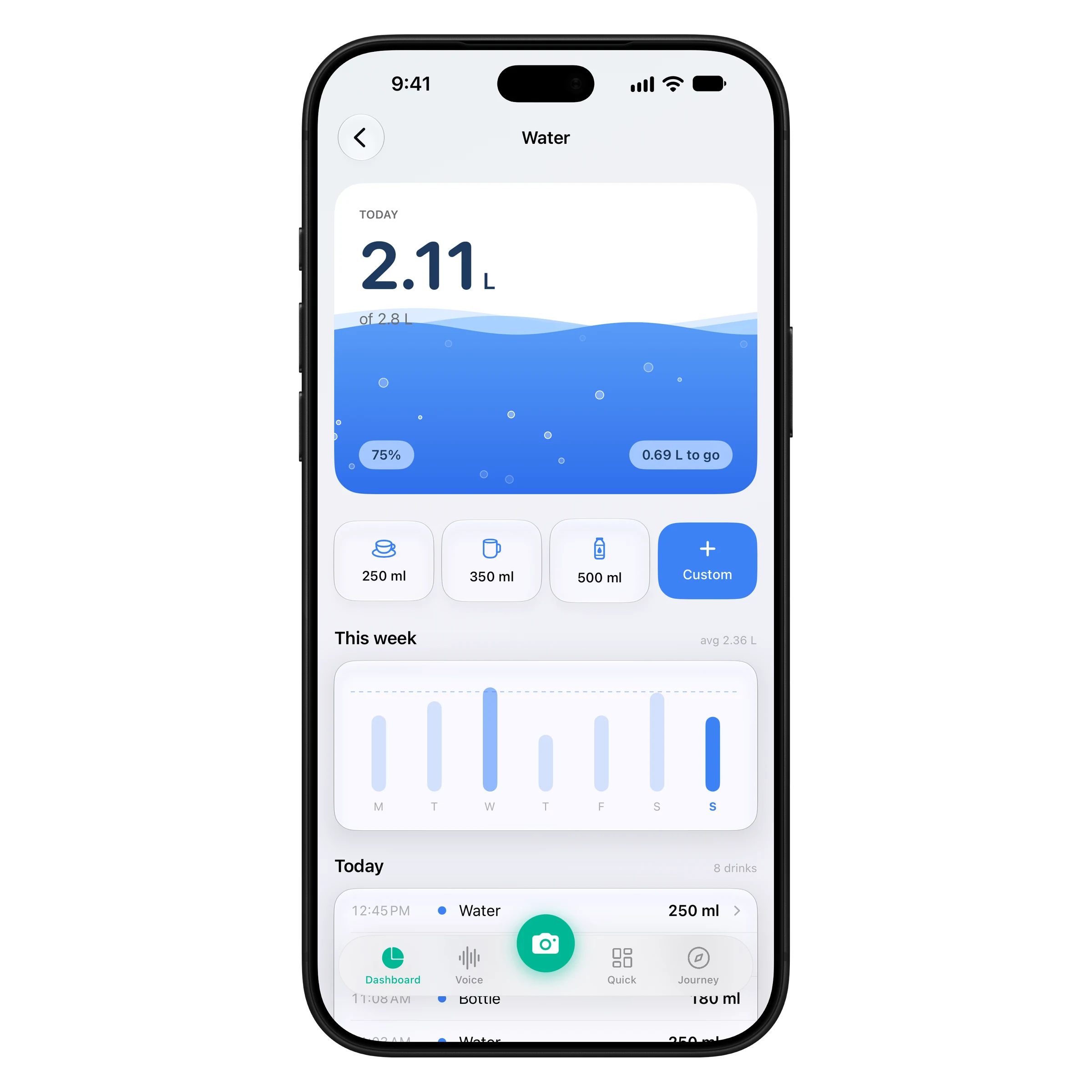
Set a goal, tap when you drink, and see it add up.
ProteinLog sets a daily water goal from your weight and activity, alongside your calorie and protein targets. Change it any time.
Tap 250, 350 or 500 ml (or pick a custom amount) in millilitres or fluid ounces. Drinks you log with a meal count automatically.
Your water shows on the dashboard, on your home and lock screen, and on your Apple Watch face, and syncs to Apple Health.
Food and drinks in one diary, on your phone, your wrist and your home screen.
Pick an amount and watch it pour in. Quick sizes for a glass, a mug or a bottle, plus custom amounts and the time you drank it.
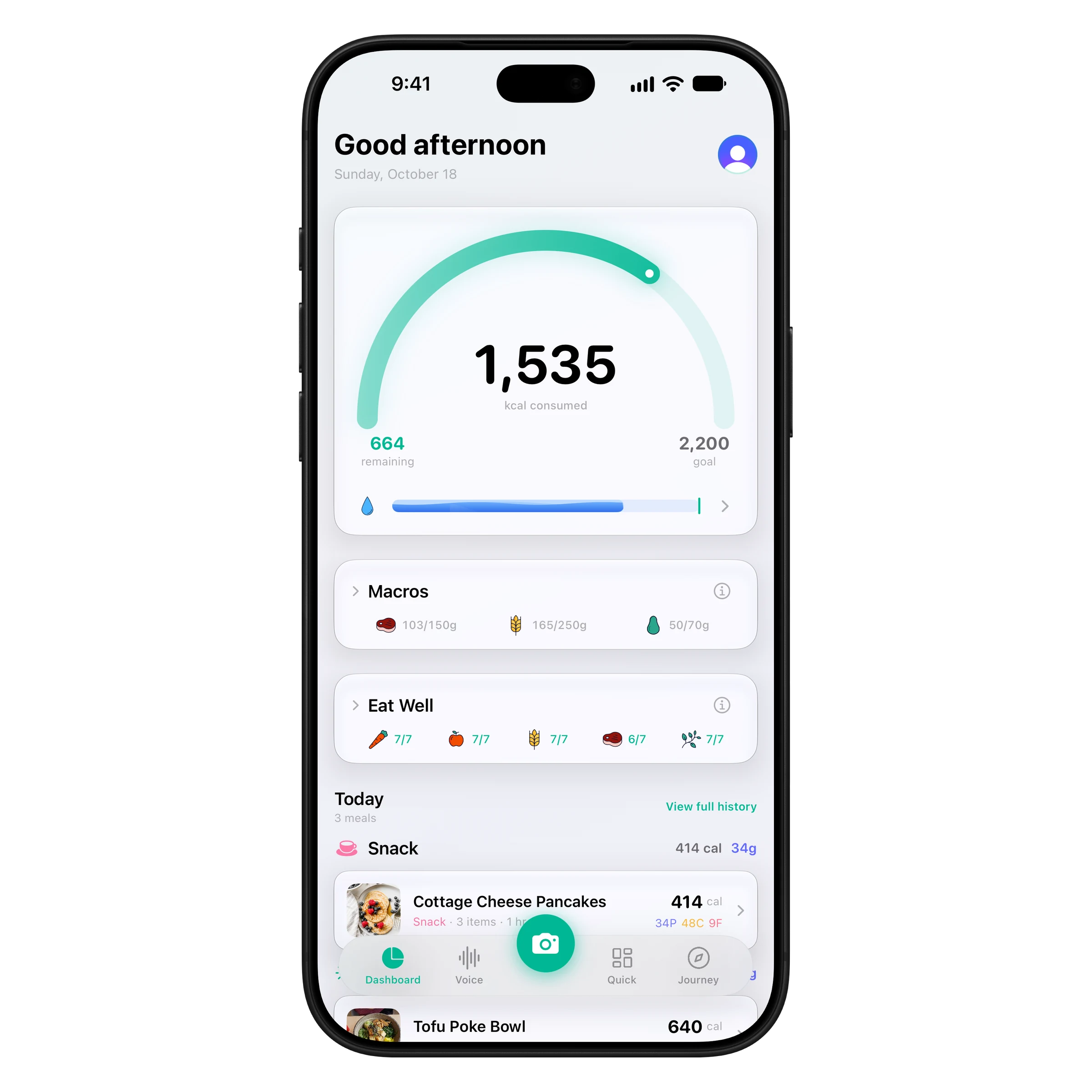
A water bar sits under the calorie gauge on your dashboard, so food and drinks live in one place instead of two apps.
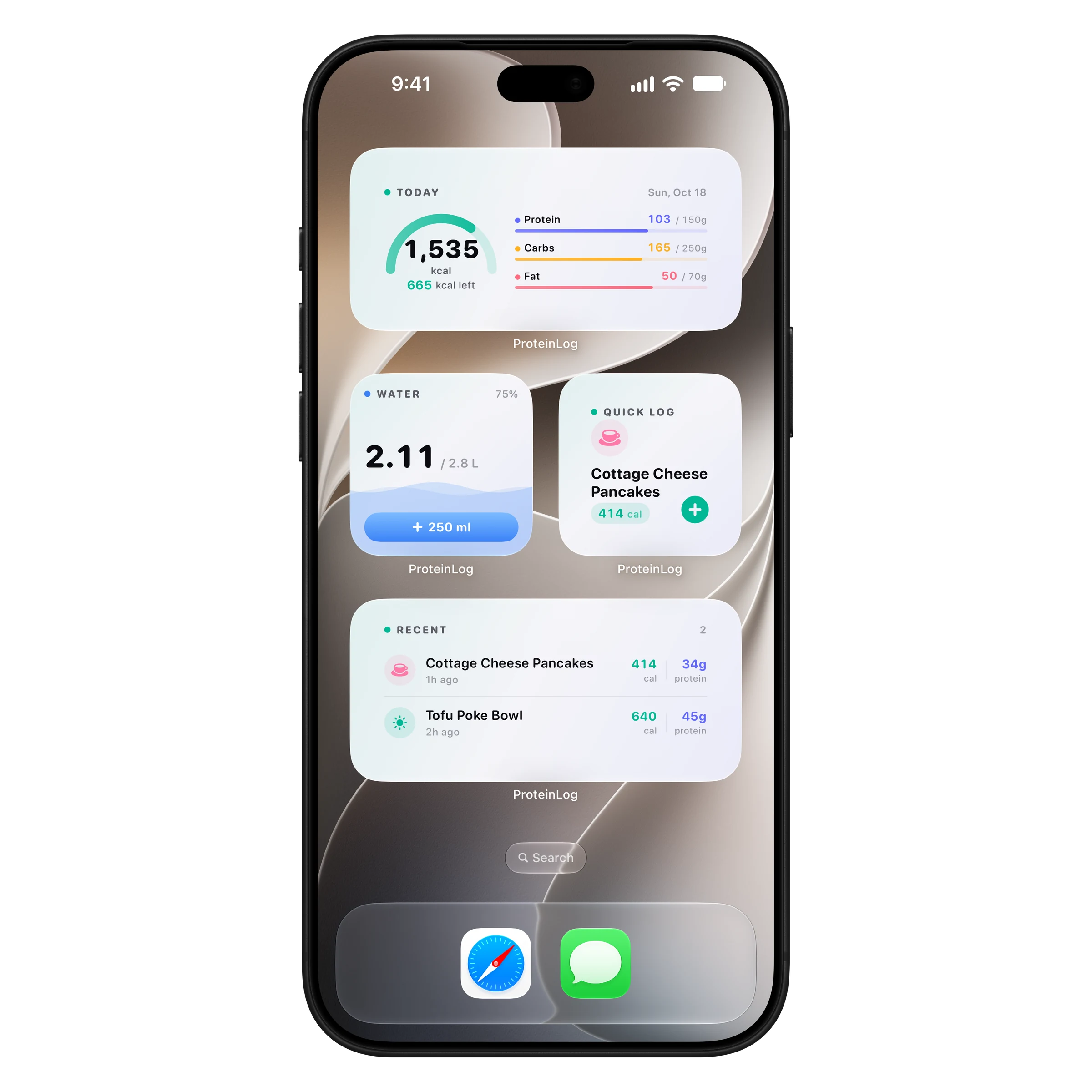
Log water from the Water widget without opening the app, and keep calories, macros and water in view on your lock screen.
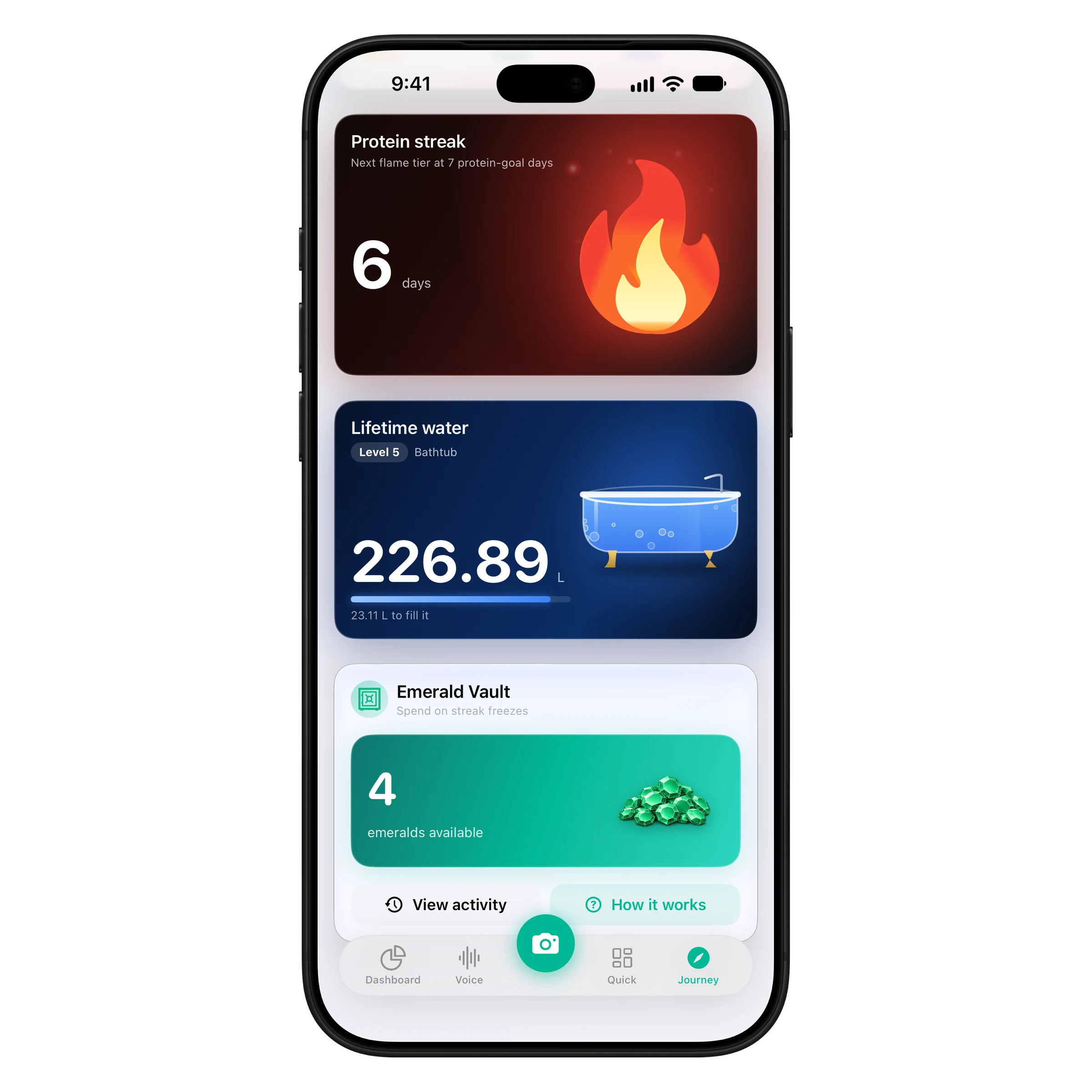
Every drink adds to a lifetime total on your Journey tab, filling bigger vessels as you level up. A small reason to keep going.
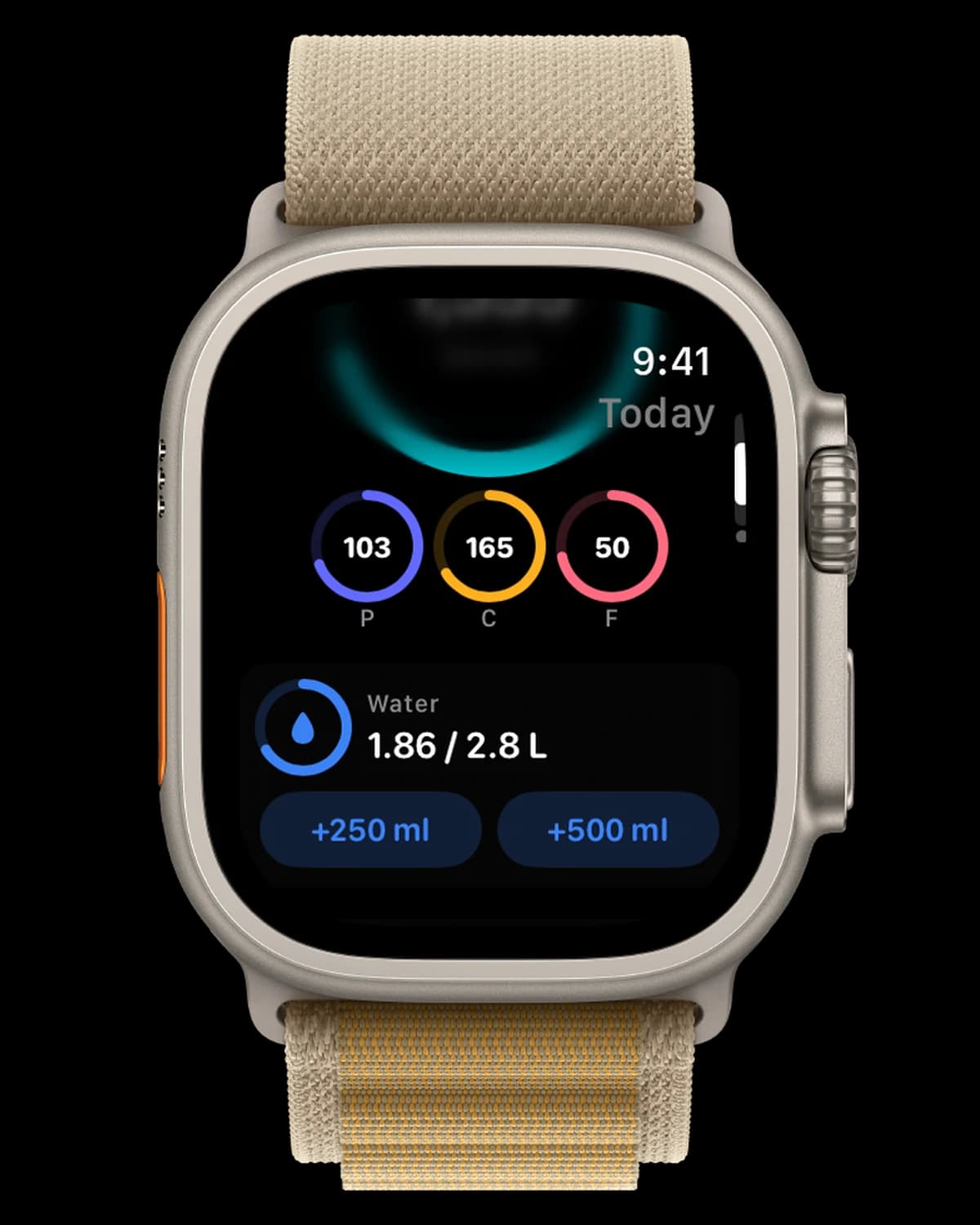
Apple Watch
The water card on the ProteinLog Apple Watch app logs +250 ml or +500 ml in a tap, and Water complications keep your progress on your watch face next to your protein.
See the Apple Watch app →Yes. Water tracking is built into ProteinLog alongside calories, protein, carbs and fat. You get a daily water goal, one-tap logging, a water bar on your dashboard, a Water widget, and water on Apple Watch.
Yes. Drinks you log as part of a meal, like coffee, tea, juice or a smoothie, count toward your daily water automatically, so you don't have to log them twice.
ProteinLog suggests a daily goal based on your weight and activity. Most adults need about 2–3 L of drinks a day, more in hot weather or when you exercise. If you have a medical condition that affects fluids, follow your doctor's advice.
Yes. The ProteinLog Apple Watch app has a water card with +250 ml and +500 ml buttons, and Water complications show your progress on your watch face.
Yes. Drinks you log are written to Apple Health as water, next to your nutrition data. ProteinLog writes to Apple Health; it doesn't read your Health data.
Yes. Choose millilitres or fluid ounces in the water settings, and quick-add amounts follow your unit.
Water tracking is included with every ProteinLog plan. No extra subscription.
Download on the App StoreiPhone & Apple Watch · No ads · Cancel anytime