TL;DR
Logging meals on Apple Watch without your iPhone means you describe food or tap a saved meal on your wrist—no unlocking your phone at the gym, kitchen, or dinner table. You still set the app up on iPhone first (that is normal for every Apple Watch app). After that, voice logging and saved meals work on the watch even when your phone is not in your pocket.
In this guide
- What "logging without your iPhone" actually means
- What you need before you start
- Step-by-step setup
- What you can log on the watch vs what needs your phone
- Tips for accurate logging
- FAQ
What Logging Without Your iPhone Actually Means
When people search for how to set up Apple Watch standalone meal logging, they usually want one thing: log food from the wrist without pulling out their phone every time.
That is different from apps that only show your calorie count on the watch but still make you open your iPhone to add a new meal.
With the right app, your watch can:
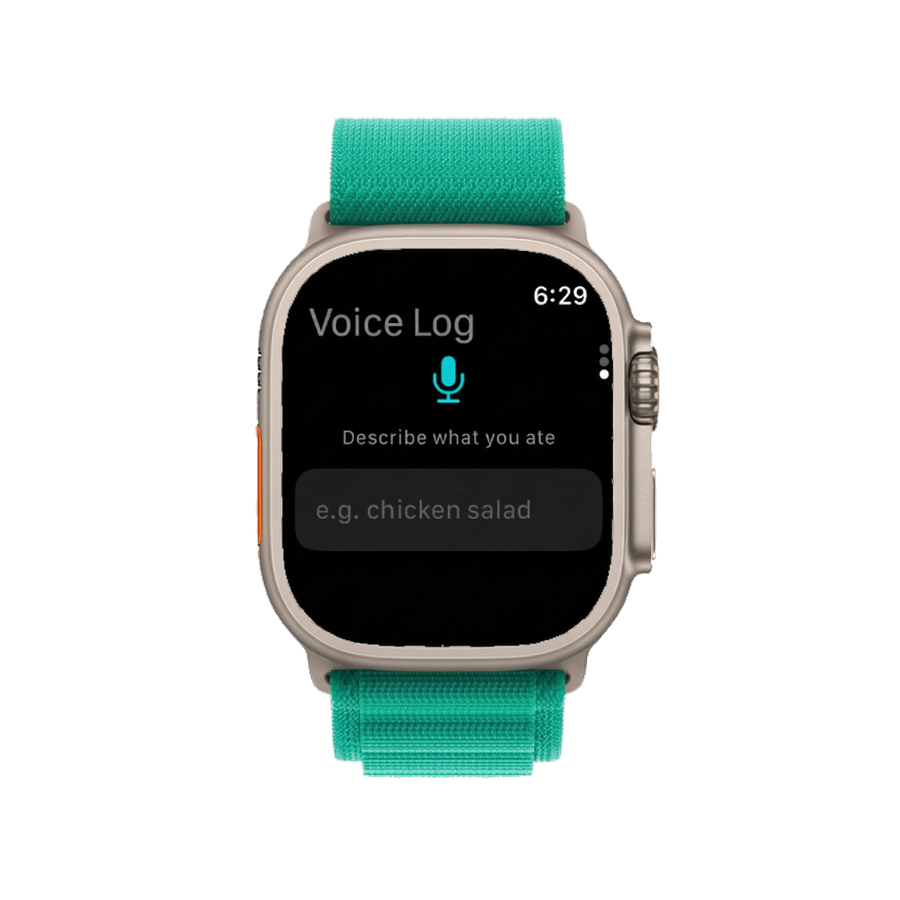
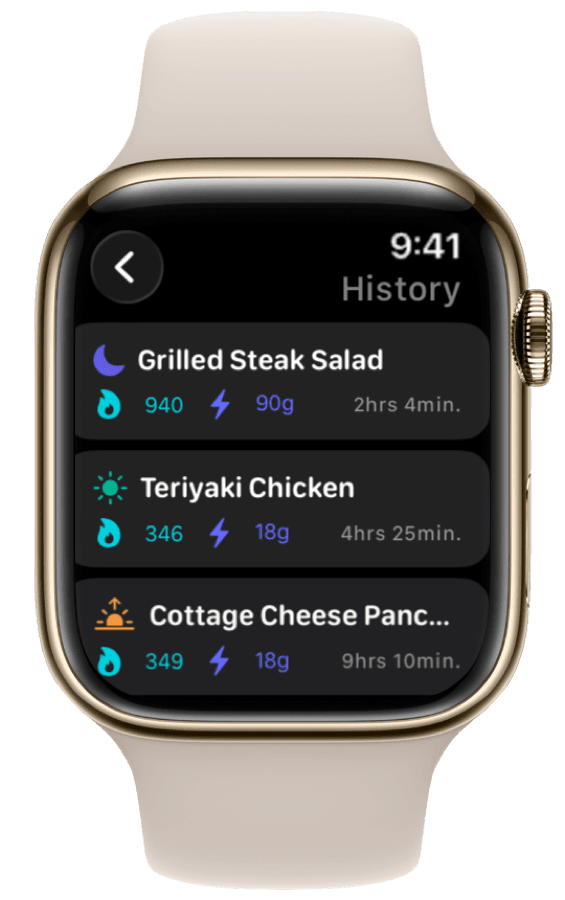
- Listen while you describe what you ate (voice logging)
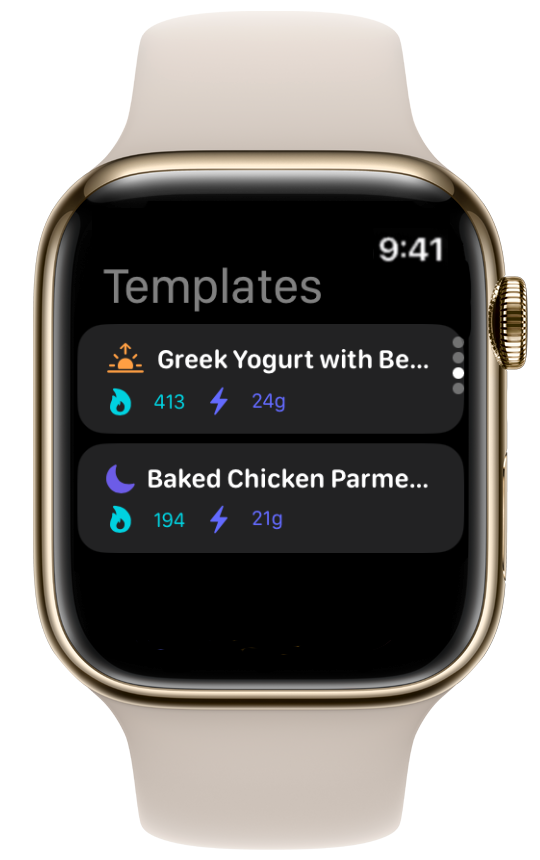
- Let you tap a breakfast or lunch you eat every day (saved meals)
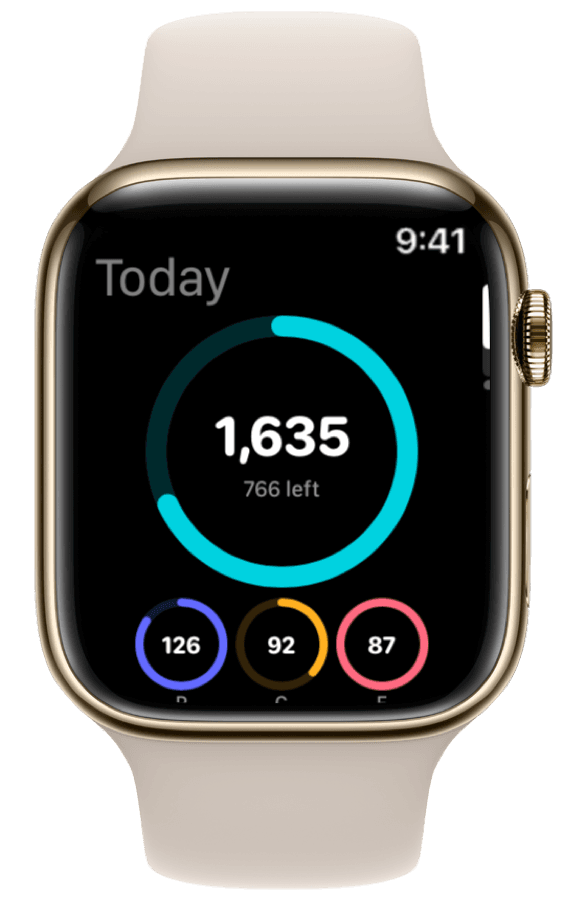
- Show today's progress on your watch face
Your iPhone is still used for first-time setup—installing the app, setting goals, and pairing the watch. That is how every Apple Watch app works. After setup, many people leave their phone in a locker, on a desk, or at home and log from the watch alone.
Apple's guide to using Apple Watch without your iPhone nearby explains that the watch can run many features on its own once it is set up. Nutrition logging fits that pattern when the app is built for the wrist—not just as a tiny copy of the phone app.
For the bigger picture—best apps, watch face widgets, and Apple Health—see our complete Apple Watch calorie tracker guide.
What You Need Before You Start
Standalone logging is not complicated, but a little prep on iPhone saves frustration later.
An app that lets you log on the watch—not just view numbers
Some calorie apps show "800 calories left" on your watch but force you back to your phone to log anything new. Look for an app that supports voice logging or saved meals directly on the watch.
Daily goals set on iPhone first
Before you log from your wrist, enter your calorie and protein targets on your phone. Not sure where to start? The USDA DRI Calculator offers evidence-based ranges, or use our free macro calculator to get numbers tailored to your goals.
Saved meals for things you eat often
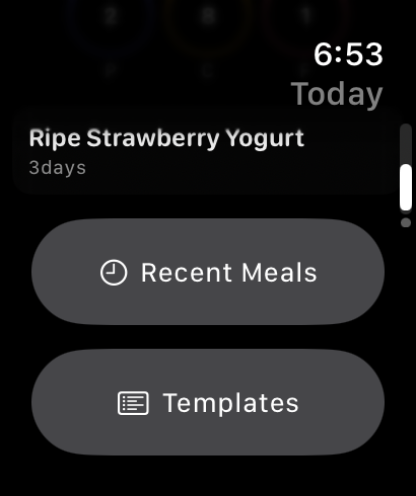
Voice logging is perfect for new meals. Saved meals (templates) are perfect for repeat food—the same breakfast, post-workout shake, or office lunch. Create two or three on iPhone before your first gym session so you can log them with one tap on the watch.
Apple Health turned on
If you use Apple Health, allow the app to read and write nutrition data during setup. That way meals logged on your watch show up in Health and on your iPhone when the devices sync.
How to Set Up Meal Logging on Your Watch
Step 1: Install on iPhone, then on Apple Watch
Download the app on your iPhone. Open the Watch app on your phone, find the app under Available Apps, and tap Install. Wait until it finishes—you will see the app icon on your watch when it is ready.
Step 2: Set your goals and save repeat meals
On iPhone, enter your daily calorie and macro targets. Then save templates for meals you eat often—name them clearly ("Morning oats", "Post-gym shake") so they are easy to spot on a small screen.
Step 3: Try voice logging once with your phone nearby
Open ProteinLog on your watch and log a meal by voice while your phone is still in range. Check that the entry shows up in your daily log. Fix any permission prompts now—not halfway through a workout.
Step 4: Test logging without your phone
Leave your iPhone in another room (or turn on Airplane Mode on the phone only). Log a test meal on your watch by voice or saved meal. When you reconnect, confirm the entry appeared on your phone. One test like this builds confidence before you rely on wrist logging at the gym.
Step 5: Add ProteinLog to your watch face (optional)
Once logging works, add a ProteinLog widget to your watch face to see protein and calories at a glance. Our Apple Watch complications guide walks through picking a face and choosing a slot.
Step 6: Use the Action Button on Apple Watch Ultra (optional)
On Apple Watch Ultra, you can assign the orange side button to start voice logging in one press. See our Action Button meal logging guide for setup.
What You Can Log on the Watch vs What Needs Your Phone
| Method | Works without iPhone nearby? | Best for |
|---|---|---|
| Voice logging | Yes | Restaurants, gym, cooking—describe what you ate |
| Saved meals | Yes | Same breakfast, shake, or lunch every day |
| Typing on the watch | Sometimes | Simple one-item logs (slower on a tiny keyboard) |
| Barcode scan | No | Packaged foods—you need your phone's camera |
| Photo of your meal | No | Mixed plates, buffets—you need your phone's camera |
| Re-log yesterday's meal | Varies by app | Many apps still need the phone to search |
Voice and saved meals are the reliable options when your phone is not in hand. Research on food tracking shows that easier logging leads to more consistent habits—and saying your meal out loud beats hunting for your phone after a set of squats.
How do other apps compare? MyFitnessPal mostly lets you re-add recent foods from the watch, not log something new from scratch. Cronometer and Lose It! are similar: good for glancing at totals, weaker for actually logging on the wrist.
Tips for Accurate Logging From Your Wrist
Be specific. "200 grams of Greek yogurt with 30 grams of granola" beats "yogurt with granola." The NHS portion guidance applies here—portion size matters as much as the food itself.
Log right away. Log at the table, at the gym exit, or right after cooking. Waiting until evening makes portions hard to remember.
Use saved meals for precision, voice for everything else. Save your exact breakfast as a template. Use voice when you ate something new.
Check your phone once a day. Open the iPhone app in the evening to confirm watch entries synced. Occasional delays happen if the watch has not connected to Wi-Fi lately.
Prioritise protein if you are cutting or building muscle. Active people often need more protein than general guidelines suggest. Seeing protein progress on your wrist makes it easier to stay on track.
How ProteinLog Makes This Easier
ProteinLog is built for logging from the wrist—not just checking numbers. Describe a meal by voice on the watch, tap a saved template, or use the Action Button on Ultra models. You can try the full workflow free for 7 days.
Download ProteinLog on the App Store and walk through the setup steps above to log your next meal without touching your phone.
Frequently Asked Questions
Can you log meals on Apple Watch without your iPhone nearby?
Yes, after initial setup. Voice logging and saved meals work on the watch even when your phone is not with you. Photo and barcode logging still need your iPhone.
Do I need a cellular Apple Watch?
No. Logging happens on the watch. Cellular or Wi-Fi only affects how quickly entries sync—not whether you can log them.
What can I log on the watch without my iPhone?
Voice logging and saved meals are the most reliable. Scanning and photos need your phone's camera.
How accurate is voice logging?
Clearer descriptions produce better results. Name the foods and portions when you can; adjust after logging if the app misheard you.
What should I set up on iPhone first?
Install the watch app, set your goals (try our macro calculator), create saved meals for repeat food, turn on Apple Health if you use it, and run one offline test log.
Does this work right after a workout?
Yes. Log a shake or meal from the watch while your phone stays in a locker. On Apple Watch Ultra, the Action Button shortcut makes it even faster.
Continue reading
Related guides
4 min read
How to Track Calories & Macros on Apple Watch in 2026 (The Complete Guide)
The complete Apple Watch calorie tracker guide for 2026. Compare apps, set up watch face widgets, voice logging, Action Button shortcuts, and Apple Health sync.
10 min read
The Best Apple Watch Workflows for Tracking Meals on the Go
Three Apple Watch meal tracking workflows for gym, restaurant, and desk—voice logging, photo capture, widgets, and templates for fast macro tracking on the go.
10 min read
How Apple Watch Activity Calories Integrate with Your Nutrition Targets
Learn how Apple Watch activity calories integrate with nutrition tracking via TDEE, Apple Health, and daily targets—with a worked 500-calorie run example.
Log Meals from Your Wrist
Try ProteinLog free for 7 days. Voice logging, watch complications, and Action Button shortcuts work on Apple Watch without your iPhone nearby. See the complete Apple Watch guide or use our free macro calculator to set your targets first.
Download on the App Store