TL;DR
If you are searching for a Cronometer alternative with Apple Watch support to buy, the decision usually comes down to what you value on your wrist. Cronometer remains the gold standard for micronutrient tracking—vitamins, minerals, amino acids, and verified database accuracy. ProteinLog is the stronger choice when you want a full Apple Watch app that lets you log meals by voice, add widgets to your watch face, and use Action Button shortcuts without reaching for your iPhone. This guide compares both honestly so you can pick the right tool before you subscribe.
Why Cronometer Users Look for Alternatives
Cronometer has earned a loyal following among nutrition nerds, clinicians, and anyone who wants more than calories and macros. Its verified food database draws from sources like the USDA and NCCDB, and the app tracks more than 80 nutrients—far beyond what most calorie counters offer.
That depth is a genuine strength. If you care about whether you are hitting your magnesium target, monitoring iron intake, or reviewing amino acid profiles, Cronometer is hard to beat. The free tier is generous, and Gold subscribers get fasting timers, custom charts, and deeper Apple Health integrations.
So why switch? For many iPhone and Apple Watch users, the friction is not data quality—it is daily logging workflow. Cronometer's Apple Watch app is useful for viewing progress and re-logging recent foods, but the experience still feels phone-first for many people. If you log on the go—after a gym session, during a commute, or at a restaurant without pulling out your phone—you may want an app that treats your watch as a primary device, not a read-only dashboard.
That is where a Cronometer alternative with Apple Watch support becomes worth evaluating before you buy.
Cronometer's Apple Watch Experience: What You Get
According to Cronometer's official Apple Watch documentation, the watch app lets you:
- View today's energy consumed and energy remaining
- See highlighted nutrient targets configured on your iPhone
- Review nutrition scores (Gold feature)
- Add foods from your most recent diary entries via a watch widget
- Receive logging and fasting reminders on your wrist
This is a solid experience on the watch. You can glance at calories left in your budget, check a few key micronutrients you have pinned as highlights, and quickly re-log something you ate yesterday. Cronometer's Apple Health integration also imports biometrics like heart rate, sleep, and blood glucose for subscribers who want to correlate nutrition with health metrics.
What Cronometer's watch app does less well—relative to newer AI-native trackers—is novel meal entry without your phone. Searching a full database, snapping a photo of a new meal, or describing food naturally by voice are workflows that still centre on the iPhone for most users. If your Apple Watch is your most accessible device during the day, that gap matters.
For a broader look at how leading nutrition apps compare on Apple Watch, see our complete Apple Watch calorie tracker guide.
ProteinLog on Apple Watch: Built for the Wrist
ProteinLog takes a different philosophy. Rather than optimising for 80-nutrient dashboards on a tiny screen, it optimises for getting food logged accurately and quickly from wherever you are.
On Apple Watch, ProteinLog offers:
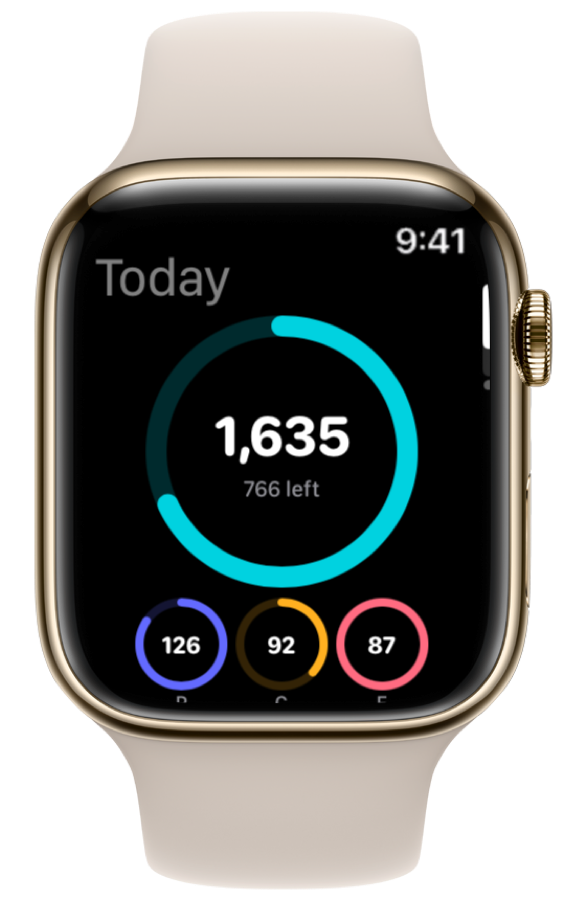
- A real-time macro dashboard (calories, protein, carbs, fat)
- Native voice logging—describe a meal and AI parses foods and portions
- Watch face widgets: Protein ring and Macros summary (calories + protein eaten)
- Action Button support on Apple Watch Ultra for one-press logging
- Log meals on the watch without your iPhone nearby
Voice logging is the standout for busy users. Instead of scrolling recent items or opening your phone to search, you say something like "grilled salmon, half cup of rice, and steamed broccoli" and the meal is parsed and logged. That workflow aligns with research on habit formation showing that lower friction leads to more consistent tracking—and consistency predicts outcomes more than perfection.
ProteinLog uses verified USDA and FatSecret nutrition data on iPhone, with AI photo recognition, barcode scanning, and Meal Templates for one-tap re-logging. The Eat Well food quality score adds a layer beyond raw macros, rating nutritional density rather than treating all calories as equal.
The trade-off is intentional: ProteinLog does not attempt to replicate Cronometer's clinical micronutrient depth. If you need to track selenium, biotin, and 78 other nutrients daily, Cronometer is still the specialist tool.
Cronometer vs ProteinLog: Feature Comparison
This table focuses on what matters if you are specifically evaluating a Cronometer alternative with Apple Watch support to buy.
| Feature | Cronometer | ProteinLog |
|---|---|---|
| Micronutrient tracking (80+ nutrients) | Yes — industry-leading depth | Macros + food quality score; not full micronutrient suite |
| Verified nutrition database | USDA, NCCDB, curated sources | USDA + FatSecret verified data |
| Log new meals from Apple Watch | Recent items re-log; limited new entry | Yes — voice, templates, quick log |
| Voice logging on wrist | Limited | Yes — runs on the watch |
| Watch face widgets | Yes — energy, targets, scores | Yes — Protein ring + Macros summary |
| Action Button (Ultra) | No | Yes |
| AI photo meal logging | iPhone only | iPhone; fastest workflow on phone |
| Apple Health sync | Yes — extensive biometrics import | Yes — dietary + activity calories |
| Fasting timer & custom charts | Gold subscription | Not a focus |
| Free tier | Generous basic tracking | 7-day Pro trial; subscription for full features |
| Annual pricing | Gold ~$54.99/year | ~$69.99/year |
| Best for | Micronutrient precision, clinical detail | Fast macro/protein logging from iPhone + Watch |
The honest summary: Cronometer wins on nutrient granularity. ProteinLog wins on Apple Watch logging speed and AI-assisted entry. Neither is "better" in absolute terms—it depends on your daily workflow.
When Cronometer Is Still the Right Choice
We would be doing you a disservice if we pretended micronutrients do not matter. Cronometer's strengths are real and well documented:
Clinical-grade micronutrient data. Cronometer tracks vitamins, minerals, fatty acids, and amino acids using high-quality reference databases. For users managing deficiencies, working with a dietitian, or following precision nutrition protocols, that visibility is valuable.
Nutrition scores and highlighted targets. You can pin the nutrients you care about—iron, vitamin D, omega-3—and see them on both iPhone and Apple Watch. Gold subscribers get custom charts that correlate nutrients with biometrics over time.
Price for depth. Cronometer Gold at roughly $54.99/year undercuts many premium trackers while delivering micronutrient features competitors charge extra for.
If your primary question each evening is "Did I get enough zinc and vitamin B12?" rather than "Did I hit 150g of protein before leaving the gym?", stay with Cronometer or run it alongside a faster logging tool.
When ProteinLog Is the Better Cronometer Alternative
ProteinLog makes sense as a Cronometer alternative with Apple Watch support to buy when your bottlenecks are speed, consistency, and protein-focused tracking—not micronutrient spreadsheets.
You log meals away from your desk. Commuters, parents, and gym-goers benefit from wrist-based voice logging and Action Button shortcuts. See our Action Button meal logging guide for setup.
Protein is your north-star metric. Athletes, body recomposition dieters, and GLP-1 medication users often prioritise protein over tracking 82 nutrients. ProteinLog surfaces protein progress on your watch face and in the app dashboard.
You want AI to reduce logging friction. Point your camera at a plate or speak a meal naturally. That is fundamentally different from searching "chicken breast cooked, no skin" in a database.
You are switching from a bloated tracker. If you came to Cronometer from MyFitnessPal seeking accuracy but miss fast logging, ProteinLog offers a modern interface without ads or user-submitted database errors.
How to Choose Before You Buy
Use this five-step checklist:
-
List your top three daily metrics. If two or more are micronutrients (e.g., iron, calcium, vitamin D), Cronometer likely fits better. If they are protein, calories, and consistency, lean ProteinLog.
-
Audit where you log food. If 70% of logging happens away from your phone, prioritise wrist-native entry. Try voice logging on a watch during a free trial.
-
Decide on database philosophy. Cronometer's curated clinical databases excel for whole-food micronutrient analysis. ProteinLog's verified USDA/FatSecret data plus AI portion estimation excels for speed.
-
Compare watch face widgets. Both apps support widgets on your watch face; configure your layout and see which data you actually glance at during the day.
-
Run a seven-day parallel test. Log the same meals in both apps for one week. You will feel immediately which workflow you tolerate—and which app you abandon.
Setting Up ProteinLog on Apple Watch
If you decide to switch, setup takes a few minutes:
- Download ProteinLog on iPhone and sign in during the free trial.
- Open the Watch app on iPhone, scroll to Available Apps, and install ProteinLog on your Apple Watch.
- Set macro targets using our free macro calculator—start with protein, then fill in calories, carbs, and fat.
- Add a watch face widget for at-a-glance protein progress.
- Try voice logging after your next meal: tap the microphone and describe what you ate.
- Optional: Map the Action Button on Apple Watch Ultra to ProteinLog's Voice Log shortcut.
For step-by-step watch workflows, our Apple Watch nutrition tracking intro walks through watch face widgets, logging without your phone, and Apple Health sync.
How ProteinLog Makes Daily Tracking Easier
ProteinLog will not replace Cronometer's micronutrient engine—and it is not trying to. It solves a different problem: making macro and protein tracking so fast that you actually do it every day, from the device on your wrist.
If you have outgrown phone-first logging but still want verified nutrition data and Apple Health integration, ProteinLog is the most capable Cronometer alternative with Apple Watch support available in 2026.
Download ProteinLog on the App Store — 7-day free trial, no credit card required.
Frequently Asked Questions
Can I use Cronometer and ProteinLog together?
Yes. Some users log quickly in ProteinLog for macros and protein, then enter detailed whole-food days in Cronometer weekly for micronutrient review. Running two apps long term is cumbersome, but a parallel trial week is a smart way to decide.
Does Cronometer support voice logging on Apple Watch?
Cronometer has expanded watch capabilities over time, but most users still describe the experience as re-logging recent items rather than full voice-driven novel entry. ProteinLog's voice workflow is a core watch feature, not an add-on.
Which app has better data accuracy?
Both use verified sources rather than crowdsourced entries. Cronometer goes deeper on micronutrients. ProteinLog combines verified databases with AI portion estimation, which is accurate for most meals but benefits from occasional manual adjustment.
Is ProteinLog a good Cronometer alternative for keto or fasting?
ProteinLog tracks carbs and supports macro targets suitable for keto. Cronometer's fasting timer and detailed electrolyte tracking (sodium, potassium, magnesium) are stronger for strict keto or clinical fasting protocols.
What if I need micronutrients later?
Start with the app that matches your current bottleneck—logging speed or nutrient depth. You can always add Cronometer later if blood work or a dietitian recommends tracking specific vitamins and minerals.
Continue reading
Related guides
8 min read
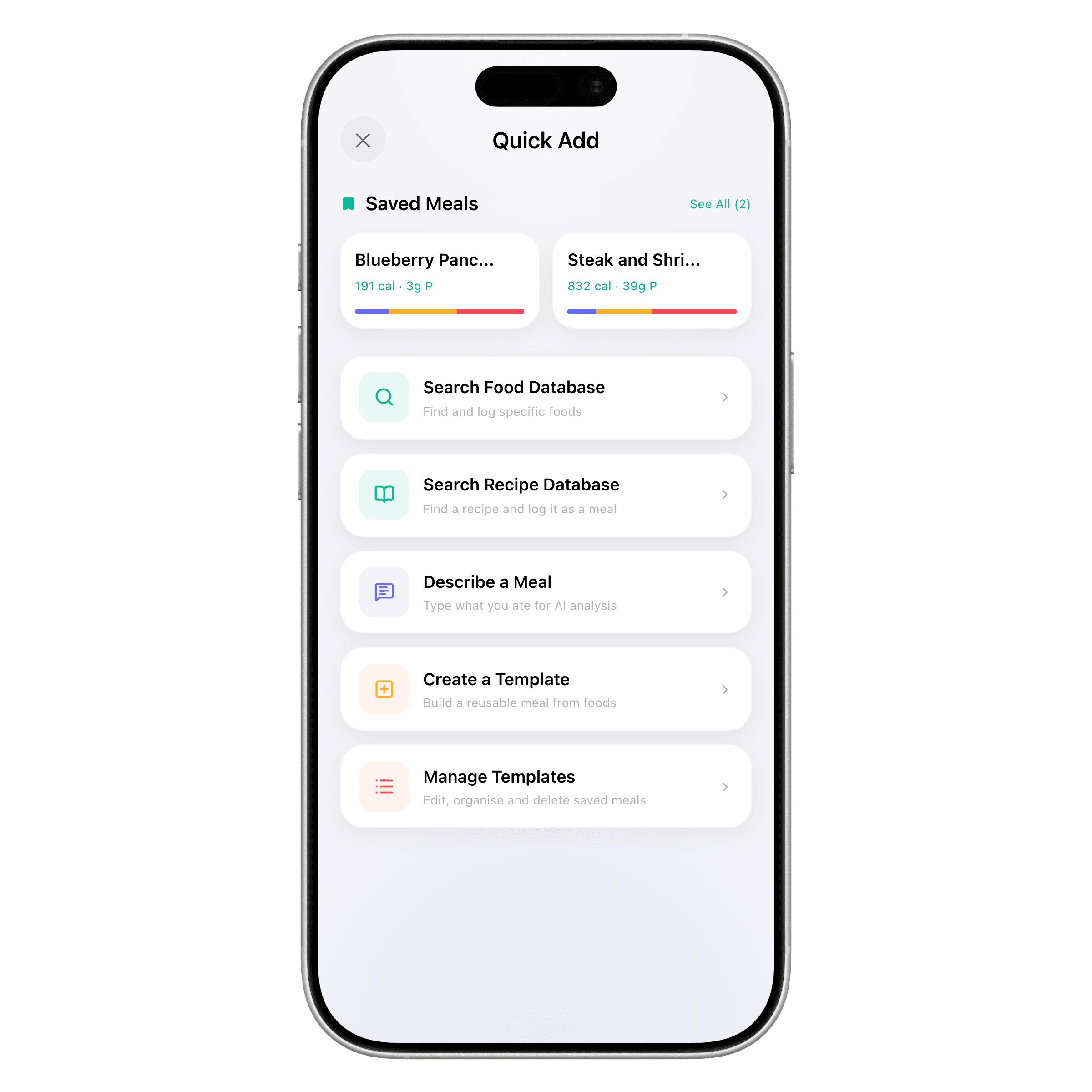
How to Switch from MyFitnessPal to ProteinLog (Step-by-Step)
Follow this step by step plan to switch from MyFitnessPal without losing history. Export MFP data, set up ProteinLog, build templates, and configure Apple Watch.
11 min read
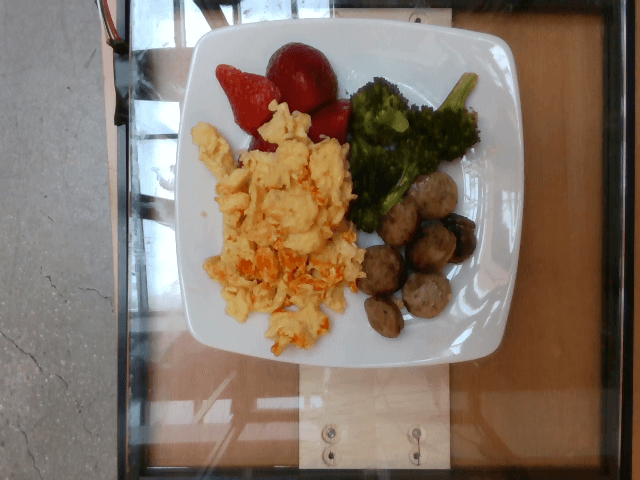
Voice Calorie Tracker Guide 2026: Log Macros by Speaking
Use a voice calorie tracker to log meals faster—phrase tips, accuracy checks, method comparison, and Apple Watch workflows.
4 min read
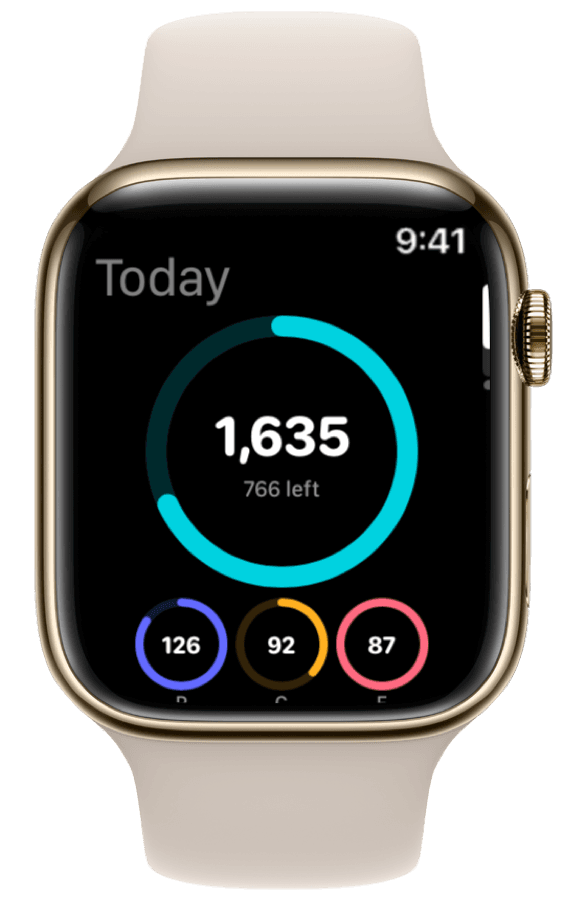
How to Track Calories & Macros on Apple Watch in 2026 (The Complete Guide)
The complete Apple Watch calorie tracker guide for 2026. Compare apps, set up watch face widgets, voice logging, Action Button shortcuts, and Apple Health sync.
Ready to Track Smarter, Not Harder?
Try ProteinLog free for 7 days. AI photo logging, verified nutrition data, Apple Watch logging, and our free macro calculator use the same targets as goal setup.
Download on the App Store