On this page
Cronometer is the stronger free tracker if you want barcode scanning, micronutrients and device sync without paying. MyFitnessPal has the bigger brand and a broad food log, but barcode scan, meal scan, voice log, custom macro goals and ad-free logging sit in Premium. If you mainly want to hit a protein target from an iPhone or Apple Watch, a protein-first app such as ProteinLog is the simpler paid option.
Every price and feature below comes from each app's own website or US App Store listing, checked on 16–18 November 2026. Prices and features change, so check the listing before you subscribe. We make ProteinLog, so its entry uses the same facts-only format as the others.
Why people compare Cronometer and MyFitnessPal
Both are calorie and macro trackers. People searching "Cronometer vs MyFitnessPal" are usually trying to answer three questions: what does the free version actually include, how trustworthy is the food data, and can I log from my watch?
Google's top results for that query are mostly Reddit and Facebook threads, plus each company's own comparison post. The practical difference is less about a single "winner" and more about which trade-off you will live with every meal.
Cronometer vs MyFitnessPal at a glance
| Cronometer | MyFitnessPal | ProteinLog | |
|---|---|---|---|
| Best for | Detailed nutrients on a free plan | A familiar all-round food diary | Fast protein and macro logging on iPhone and Apple Watch |
| Free plan | Basic account includes barcode scanning, custom meals and recipes, and device integrations (except the ChatGPT plugin) | Free to download; barcode scan, meal scan, voice log, custom macro goals and ad-free logging are Premium | No free tier. $1.99/week or $69.99/year, no ads |
| Paid plan (US App Store, 16 Nov 2026) | Gold Monthly $10.99, Gold Annual $59.99 | Yearly Premium $79.99, Monthly Premium $19.99 (other Premium SKUs also listed at $9.99 and $49.99) | Yearly $69.99 or weekly $1.99 |
| Food data (official wording) | "More than 1.1 million verified foods," per the App Store listing | Not stated as a single figure on the listing or Premium page we checked | Nutrition data from USDA and FatSecret |
| Logging extras | Photo log and voice log are Gold features | Meal scan and voice log are Premium | AI photo, voice, barcode and label scan, and saved templates are included |
| Apple Watch | Yes; listing includes watchOS 9.0+ and Apple Health / Apple Watch sync | Yes; listing includes Apple Watch compatibility | Full Watch app to log meals from your wrist, including without the iPhone nearby |
| Platforms | Web, iOS and Android | iPhone and more; see the listing for current devices | iPhone and Apple Watch |
What's free, and what you pay for
This is where the two apps diverge most.
Cronometer's free-features page says a Basic account includes a food diary, calorie and macro tracking, a free barcode scanner, custom meals and recipes, exercise and biometric tracking, seven days of nutrition data, and two basic charts (weight and energy). It also says all apps and device integrations are included in the free version, except the ChatGPT plugin, which needs Gold.
Cronometer Gold, from the official Gold page, is ad-free and adds photo logging, voice logging (including Siri), custom charts, nutrition scores, a recipe importer, repeat items that can auto-appear in your diary, a macro scheduler, a fasting timer, Oracle Nutrient Search, custom biometrics, and unlimited historical data.
MyFitnessPal is still free to download. Its Premium page and the US App Store listing put barcode scan, meal scan, voice log, custom macro goals and ad-free logging in Premium. The Premium page also describes quick-logging carbs, fat, protein and calories, and setting unique macro goals for each day of the week.
If you only want to log a sandwich by scanning the label, Cronometer's free plan covers that. In MyFitnessPal, that scan is a Premium feature.
Food data, not marketing scores
People on Reddit often pick Cronometer because they trust the database more, and MyFitnessPal because it already has the foods they eat. We are not going to invent an accuracy score or repeat a third-party "USDA test" that neither company publishes.
What we can say from official pages: Cronometer's listing describes a curated database of more than 1.1 million verified foods. MyFitnessPal does not publish a single comparable figure on the pages we checked this week, so we are not guessing one. In practice, any tracker is only as good as the entry you pick. If a restaurant item looks off, choose a verified or branded entry, or log the ingredients.
Apple Watch, and how fast you can log
Both Cronometer and MyFitnessPal list Apple Watch support. Cronometer's listing also calls out Apple Health, Apple Watch, Fitbit, Garmin, Oura and Whoop connections, with the ChatGPT plugin reserved for Gold. MyFitnessPal's Premium page emphasises faster logging once you pay: barcode, meal scan and voice.
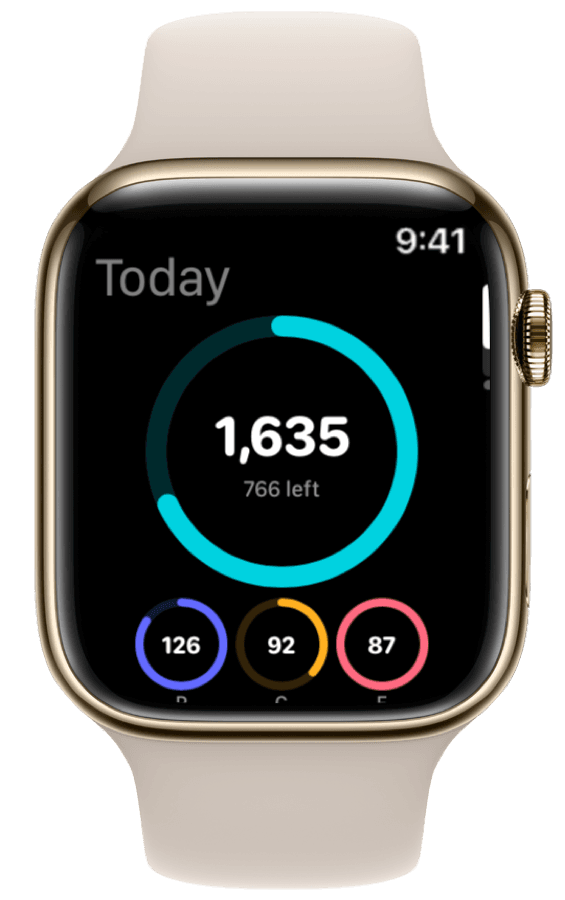
If wrist logging is the reason you open a tracker at all, read the app's own Watch description, not a feature-grid screenshot. ProteinLog's site describes a full Apple Watch app: you can check macros and quick-log meals from your wrist, including by voice or a saved template, and it can work without the iPhone nearby. Our Cronometer alternative for Apple Watch post goes deeper on that comparison, and the MyFitnessPal alternative guide covers the broader switch.
Who should use which
Pick Cronometer if you want a capable free plan, micronutrients as well as macros, and you do not mind a denser interface. Pay for Gold if you want photo or voice logging, custom charts, or history beyond the seven-day Basic window.
Pick MyFitnessPal if you already know the app, you want its food log, and you are willing to pay Premium for scanning, voice logging and custom macro goals. The free plan is a starting point, not the full product described in the ads.
Pick a protein-first app if the only number you consistently care about is protein, and you want logging that is fast enough to survive a busy day. ProteinLog is one paid option in that group. Our earlier ProteinLog vs MyFitnessPal post is the direct head-to-head on that path.
How to switch without losing the habit
- Write down your current targets. Calories, protein, carbs and fat, plus any supplements you log.
- Move your frequent meals first. Re-create the ten foods you eat most, not your entire history. Cronometer's own transition guide explains custom recipes if you are coming from MyFitnessPal.
- Set up the Watch and widgets on day one. If you only open the iPhone app at a desk, the new tracker will fail the same way the old one did.
- Give it a week of real meals. A comparison based on one lunch is noise.
- Check the official price on the day you subscribe. The figures in the table above are from 16 November 2026.
Mistakes to avoid
- Assuming MyFitnessPal's barcode scanner is still free. The Premium page lists it as a Premium feature.
- Paying for Gold or Premium before you try the free plan. Cronometer's Basic account already includes barcode scanning and device integrations. MyFitnessPal's free download lets you see the diary first.
- Treating any database as perfect. Pick verified entries, and be sceptical of crowdsourced restaurant items.
- Ignoring the Watch until later. If you eat away from your phone, set up wrist logging when you install the app.
- Chasing a "winner" instead of a workflow. The better app is the one you will open at the next meal.
How ProteinLog helps
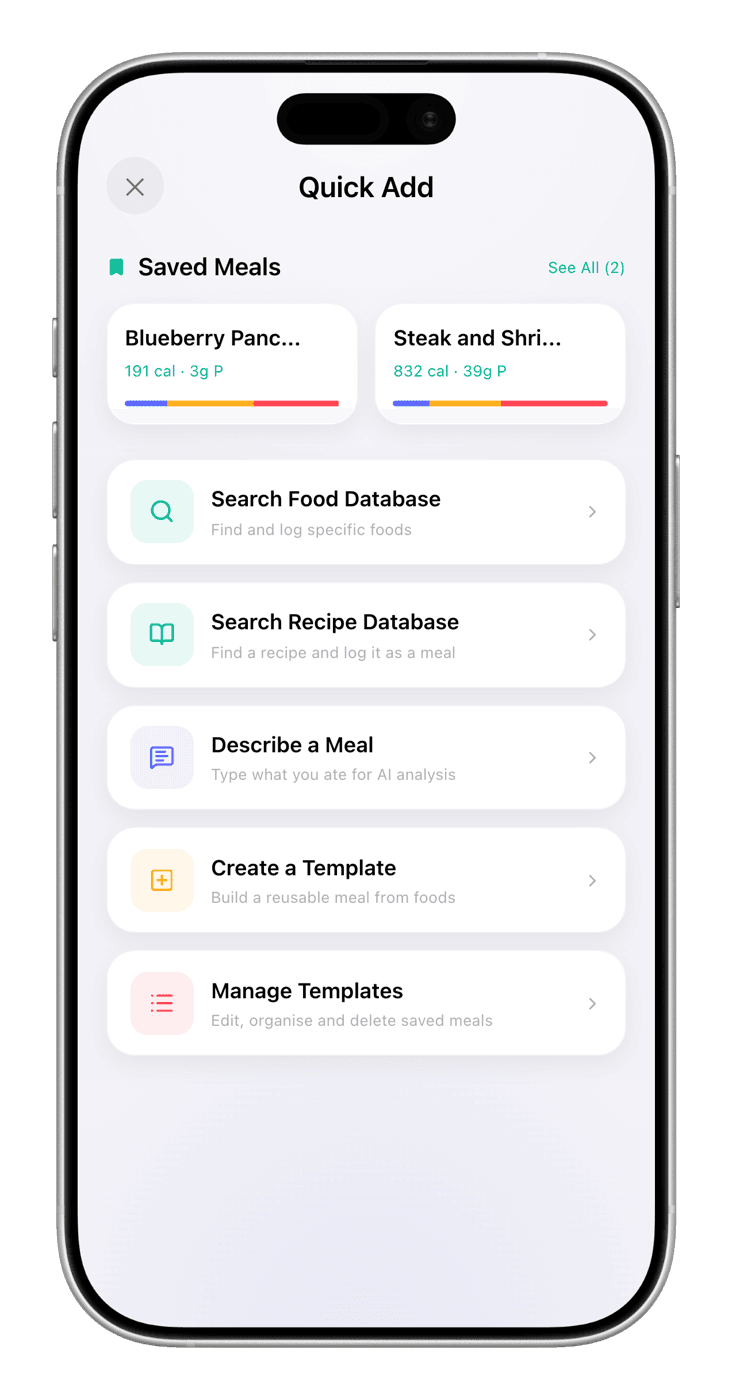
ProteinLog is a protein and macro tracker for iPhone and Apple Watch. You can log a meal by AI photo, voice, a saved template or a barcode or nutrition-label scan, or from your wrist. It is paid — $1.99 a week or $69.99 a year, with no ads — so it is not a free Cronometer substitute. If speed and a protein-first Watch app matter more than a free barcode scanner, get ProteinLog on the App Store. If tightness is what stops you getting to a training session once the food log is done, our sister app BendEase offers a voice-coached stretching routine of about five minutes.
FAQ
Which is better, Cronometer or MyFitnessPal? It depends what you want for free. Cronometer's own site includes barcode scanning, custom meals and recipes, and device integrations on a Basic account, with a 7-day window of nutrition data and two basic charts. MyFitnessPal is free to download, but its site and US App Store listing put barcode scan, meal scan, voice log, custom macro goals and ad-free logging in Premium. If you also want fast photo, voice and Apple Watch logging with protein front and centre, ProteinLog is a paid alternative.
Is Cronometer actually free? Yes. Cronometer offers a free Basic account. Its free-features page says barcode scanning, custom meals and recipes, and app and device integrations are included, except the ChatGPT plugin, which needs Gold. Gold adds photo and voice logging, custom charts, a recipe importer and unlimited historical data, among other tools.
How much do Cronometer Gold and MyFitnessPal Premium cost? On the US App Store on 16 November 2026, Cronometer listed Gold Monthly at $10.99 and Gold Annual at $59.99. MyFitnessPal listed Yearly Premium at $79.99 and Monthly Premium at $19.99, plus other Premium SKUs at $9.99 and $49.99. Prices change, so check the listing before you subscribe.
Does Cronometer or MyFitnessPal work on Apple Watch? Both list Apple Watch support. Cronometer's App Store listing says it is compatible with watchOS 9.0 or later and that it syncs with Apple Health and Apple Watch. MyFitnessPal's listing also lists Apple Watch compatibility. Cronometer is also available on the web and Android. ProteinLog's site describes a full Watch app that can log meals from your wrist, even without the iPhone nearby.
Is there a better tracker than MyFitnessPal if I mainly care about protein? If protein is the number you watch, a protein-first app can be simpler than a full calorie diary. ProteinLog is a paid protein and macro tracker for iPhone and Apple Watch, with photo, voice, templates and label scan. We also have a broader best protein tracker apps for iPhone comparison if you want more options.
Can I switch from MyFitnessPal to Cronometer? Yes. Cronometer publishes a transition guide, "Easing The Transition: MyFitnessPal to Cronometer," that walks through custom recipes and other differences. You will still need to build or import your frequent foods in the new app. If you are leaving MyFitnessPal for a protein-first workflow, our switch from MyFitnessPal to ProteinLog guide covers that path.
Which app has the bigger food database? Cronometer's App Store listing describes a curated database of more than 1.1 million verified foods. MyFitnessPal does not state a single database size on the listing or Premium page we checked on 16–18 November 2026, and we are not repeating third-party figures. What you can compare from official pages is what the free version lets you log, and how each app talks about accuracy versus convenience.
Sources
- Cronometer, Gold page, checked 18 Nov 2026. https://cronometer.com/gold/
- Cronometer, free nutrition tracking features (saved 16 Nov 2026). https://cronometer.com/features/free-nutrition-tracking-app.html
- Cronometer, "Easing The Transition: MyFitnessPal to Cronometer." https://cronometer.com/blog/my-fitness-pal-to-cronometer/
- Cronometer: Calorie Counter, US App Store listing, checked 16 Nov 2026. https://apps.apple.com/us/app/cronometer-calorie-counter/id1145935738
- MyFitnessPal Premium page, checked 18 Nov 2026 (feature list; on-page prices were shown in yen from this location, so US prices below come from the App Store listing). https://www.myfitnesspal.com/premium
- MyFitnessPal: Calorie Counter, US App Store listing, checked 16 Nov 2026. https://apps.apple.com/us/app/myfitnesspal-calorie-counter/id341232718
- ProteinLog, official site (features and pricing). https://www.proteinlog.com/
- ProteinLog: Macro Tracker, US App Store listing, checked 16 Nov 2026. https://apps.apple.com/us/app/proteinlog-protein-tracker/id6759217872

Ready to Track Smarter, Not Harder?
AI photo logging, verified nutrition data, Apple Watch logging, and our free macro calculator use the same targets as goal setup.
Download on the App StoreiPhone & Apple Watch · No ads · Cancel anytime