On this page
Quick Answer: An AI macro app uses camera + models to propose foods and portions so burrito bowls and home-cooked plates log in seconds, not ingredient-by-ingredient.
If you have ever tried to track your macros, you know the cycle: you start strong on Monday, meticulously weighing every gram of chicken and scanning every barcode. By Thursday, you are eating out, guessing the weight of a burrito bowl, and by the weekend, you have stopped tracking entirely.
The problem is not your motivation. The problem is friction. Traditional macro tracking apps require you to search databases, estimate portion sizes, and manually enter data for every single ingredient.
In 2026, technology has finally solved this problem. The rise of the AI macro tracking app means you can now log complex meals simply by taking a photo. Here is how computer vision is changing nutrition tracking, and how you can use it to stay consistent without the headache of manual data entry.
The Problem with Traditional Macro Tracking
Before AI, tracking macros meant relying on user-generated databases (like MyFitnessPal) or clinical databases (like Cronometer). While accurate if you weigh your food, these systems break down in real-world scenarios:
- The "Mixed Meal" Problem: How do you log a slice of lasagna or a stir-fry? You either have to deconstruct the recipe ingredient by ingredient or guess a generic "lasagna" entry that could be off by 500 calories.
- Portion Distortion: Studies consistently show that humans are terrible at estimating portion sizes by eye. A "tablespoon" of peanut butter is rarely just one tablespoon.
- Time Friction: Logging a home-cooked meal with five ingredients can take 5-10 minutes of searching, measuring, and typing.
What is an AI Macro Tracking App?
An AI macro tracking app uses a combination of Large Language Models (LLMs) and computer vision to identify food and estimate its volume from a single photograph.
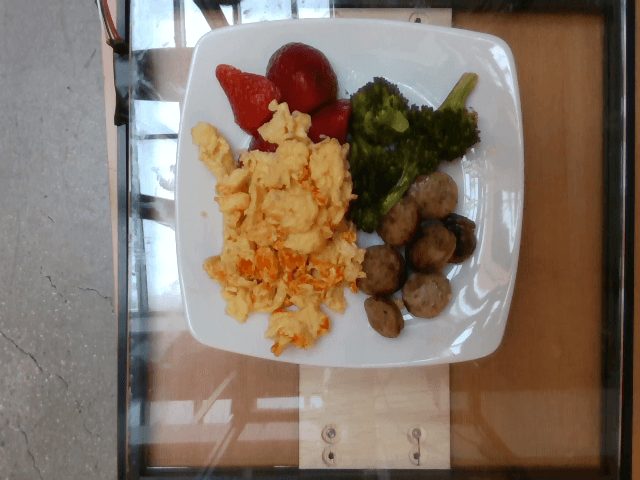
Instead of searching a database for "grilled chicken breast" and typing in "150 grams," you point your phone's camera at your plate. The AI analyzes the image, recognizes the chicken, rice, and broccoli, estimates the portion sizes based on the context of the plate, and instantly calculates the calories, protein, carbs, and fat.
How ProteinLog's AI Works
ProteinLog was built specifically to leverage this technology, reducing the time it takes to log a meal from minutes to seconds. Here is the three-step process:
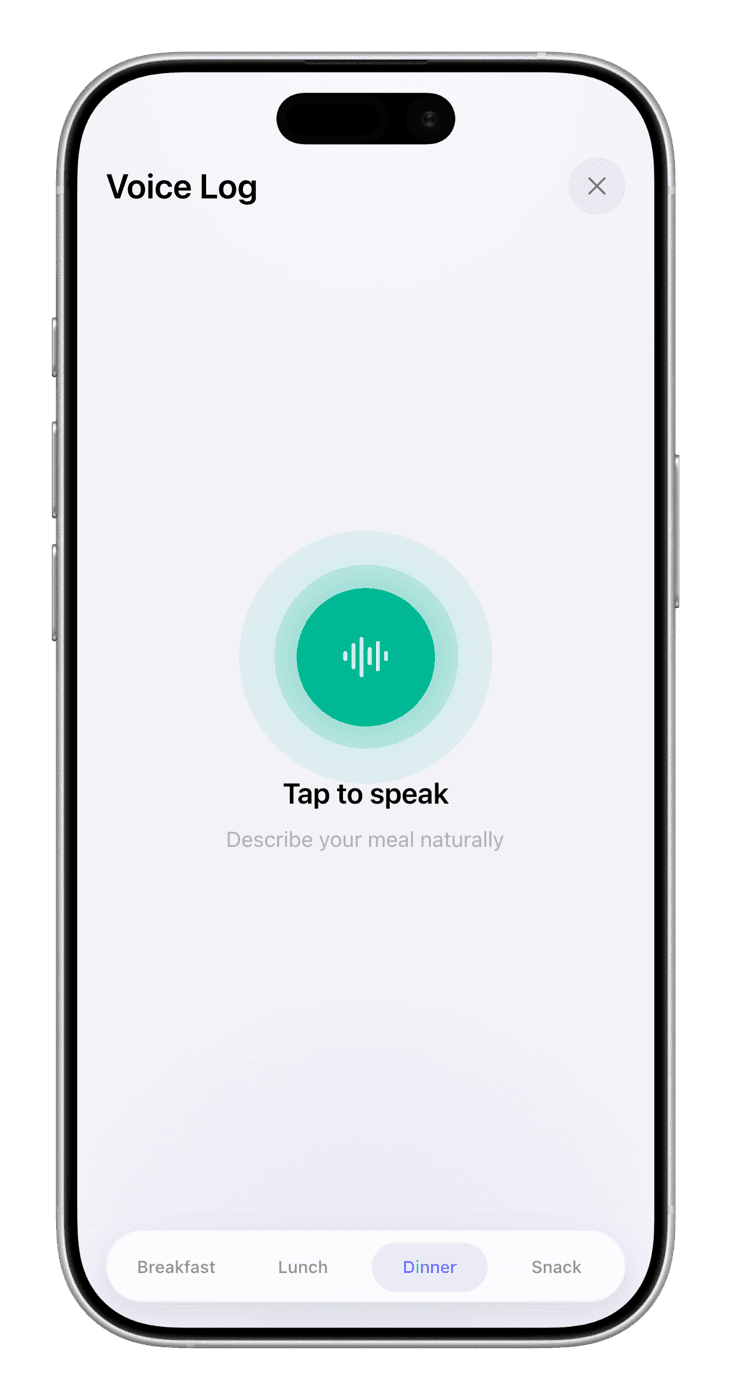
- Snap a Photo: Open the app (or use the Action Button on your iPhone Pro) and take a picture of your meal.
- AI Analysis: The app's computer vision identifies every distinct ingredient on the plate. It then references verified databases (like the USDA) to pull the exact nutritional profile for those foods.
- Instant Logging: Within five seconds, the app presents the total macros for the meal. You can adjust the estimated portions if needed, or simply tap "Log."
Real-World Examples: AI vs. Manual Tracking
To understand the difference, let's look at how you would log a typical lunch using a traditional app versus an AI macro tracking app.
Example 1: The Chipotle Burrito Bowl
- Traditional App: You search for "Chipotle Burrito Bowl." You find 50 different entries ranging from 400 to 1,200 calories. You try to build the bowl manually: search "white rice," guess the portion; search "black beans," guess the portion; search "chicken," guess the portion. Time taken: 4 minutes.
- ProteinLog AI: You snap a photo of the bowl. The AI identifies rice, beans, chicken, salsa, and cheese. It estimates the volume of each and logs the entire bowl. Time taken: 5 seconds.
Example 2: The Barcode Scan
While AI photo logging is incredible for whole foods and mixed meals, sometimes you just need to log a protein bar.
- Traditional App: You open the app, navigate to the diary, tap "add food," tap the barcode icon, scan the wrapper, and log it.
- ProteinLog: A modern macro tracking app with a barcode scanner should be seamless. In ProteinLog, the scanner is integrated directly into the main logging screen. Scan the wrapper, and the verified macros are instantly added to your daily total.
Why Speed Equals Consistency
The ultimate goal of tracking macros is not to have a perfectly accurate diary; it is to stay consistent enough to see results.
Research shows that the number one reason people abandon nutrition tracking is the time and effort required. By removing the friction of manual entry, an AI macro tracking app ensures you log your food even when you are busy, tired, or eating out. Once logging is effortless, you can shift attention to focusing on food quality scores instead of just hitting calorie targets.
When logging a meal takes five seconds instead of five minutes, you are far more likely to track your breakfast, lunch, dinner, and snacks every single day.
Stop Guessing, Start Snapping
If you are tired of weighing your food, searching databases, and guessing portion sizes, it is time to upgrade your tools.
Download ProteinLog today. Experience how fast and effortless macro tracking can be when AI does the heavy lifting for you.

Ready to Track Smarter, Not Harder?
AI photo logging, verified nutrition data, Apple Watch logging, and our free macro calculator use the same targets as goal setup.
Download on the App StoreiPhone & Apple Watch · No ads · Cancel anytime